
Delivery management software
The software behind every delivery
We built our own pharmacy portal, driver app and dispatch tools. Every order you send us runs through them, so you can see where it is and how it was delivered.
What you get
Pharmacy portal
Staff create and manage delivery orders in one place, mark fridge or narcotic items and add delivery notes.
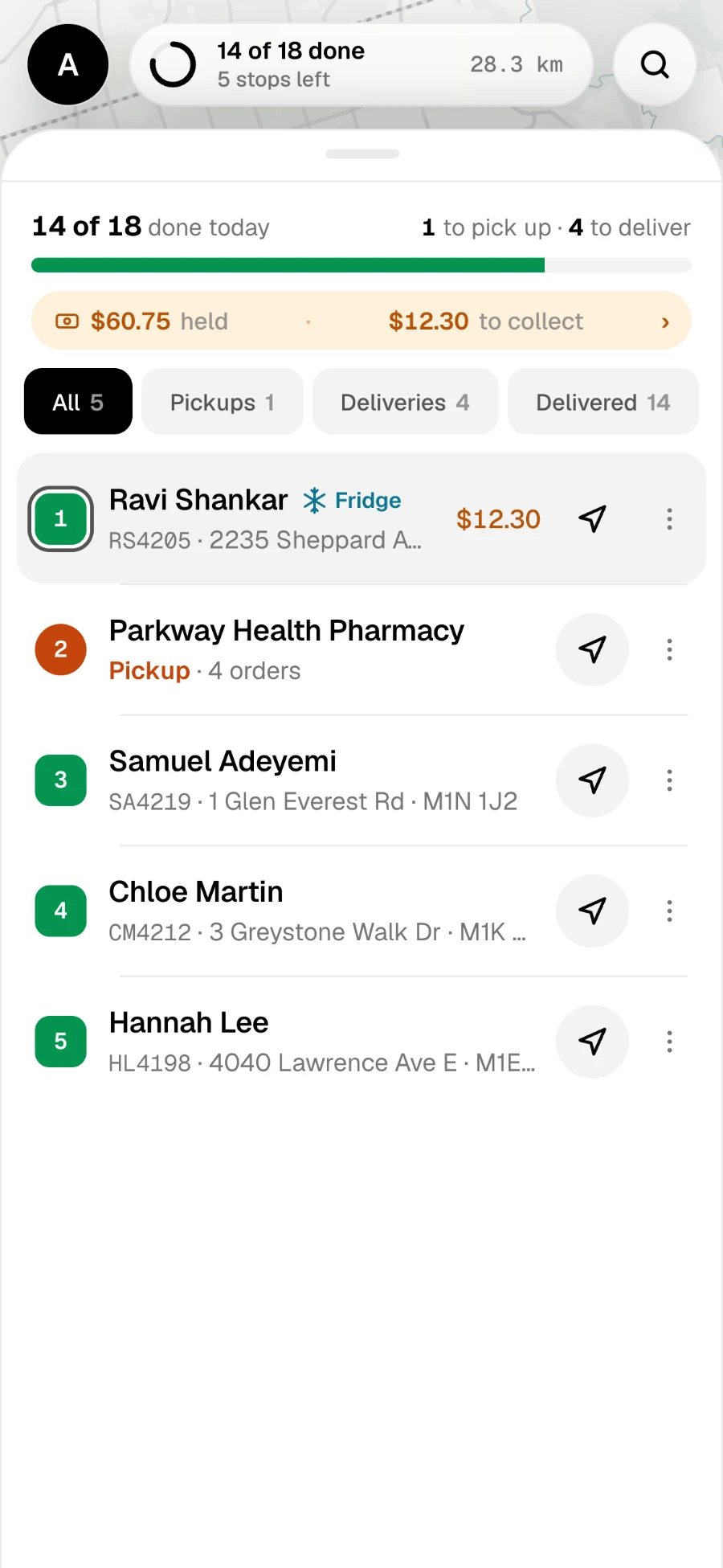
Driver app
Plans the order of stops, gives turn-by-turn directions and shows each order’s handling flags.
Order status and timestamps
Every order shows whether it’s waiting for pickup, on the way, delivered or not delivered, with the time of each step.
Proof of delivery
A photo at the door on every delivery, plus a signature when it’s handed over, with the location.
Recorded transfers
If an order moves to another driver, the transfer is accepted and logged.
Cash tracking
Cash collected at the door is tracked from the driver until it’s settled with the pharmacy.
How it works
- 01
Order created
Your staff add the order in the portal.
- 02
Route planned
The driver app puts every pickup and delivery in the best order.
- 03
Delivery recorded
Photo, signature, time and location are saved with the order.
Do I need to install anything?
No. The pharmacy portal runs in a web browser at pharmacy.medicarrow.com.
Can I use the software with my own drivers?
The software is included with our managed delivery service. Ask us about software options for your own drivers.
Who can see patient information?
Only the people who need it to make the delivery. We handle patient information on the pharmacy’s behalf, as our privacy policy explains.
Request a pharmacy delivery quote
Tell us your volume and delivery areas. We reply within one business day.